Google Cloud.
Now on localhost.
The premium open-source GCP emulator supporting 29+ services. Real infrastructure, visual dashboard, zero cloud bills.
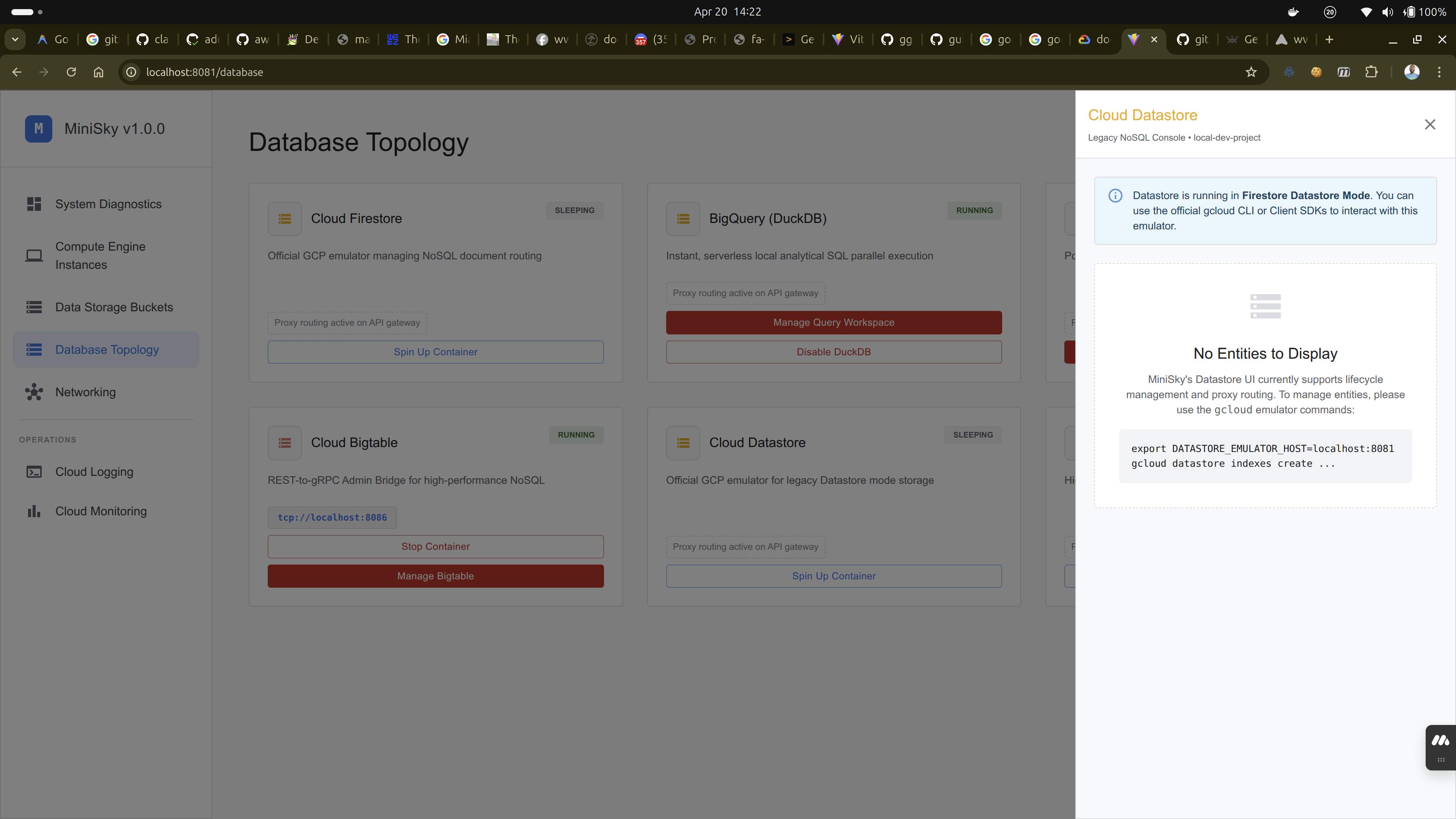
The premium open-source GCP emulator supporting 29+ services. Real infrastructure, visual dashboard, zero cloud bills.
Developed purely in Go as a single, ultra-light binary. All core services utilize lazy loading, spinning up in under 100 milliseconds only when requested.
Develop, test, and run CI/CD pipelines offline. Never pay for local dev again.
New in v1.5.0: build a landing zone locally — organizations, folders and projects through Cloud Resource Manager, minisky iam explain to see what a policy actually grants, and state that survives a restart.
A high-fidelity local cloud experience, designed for modern GCP engineers.
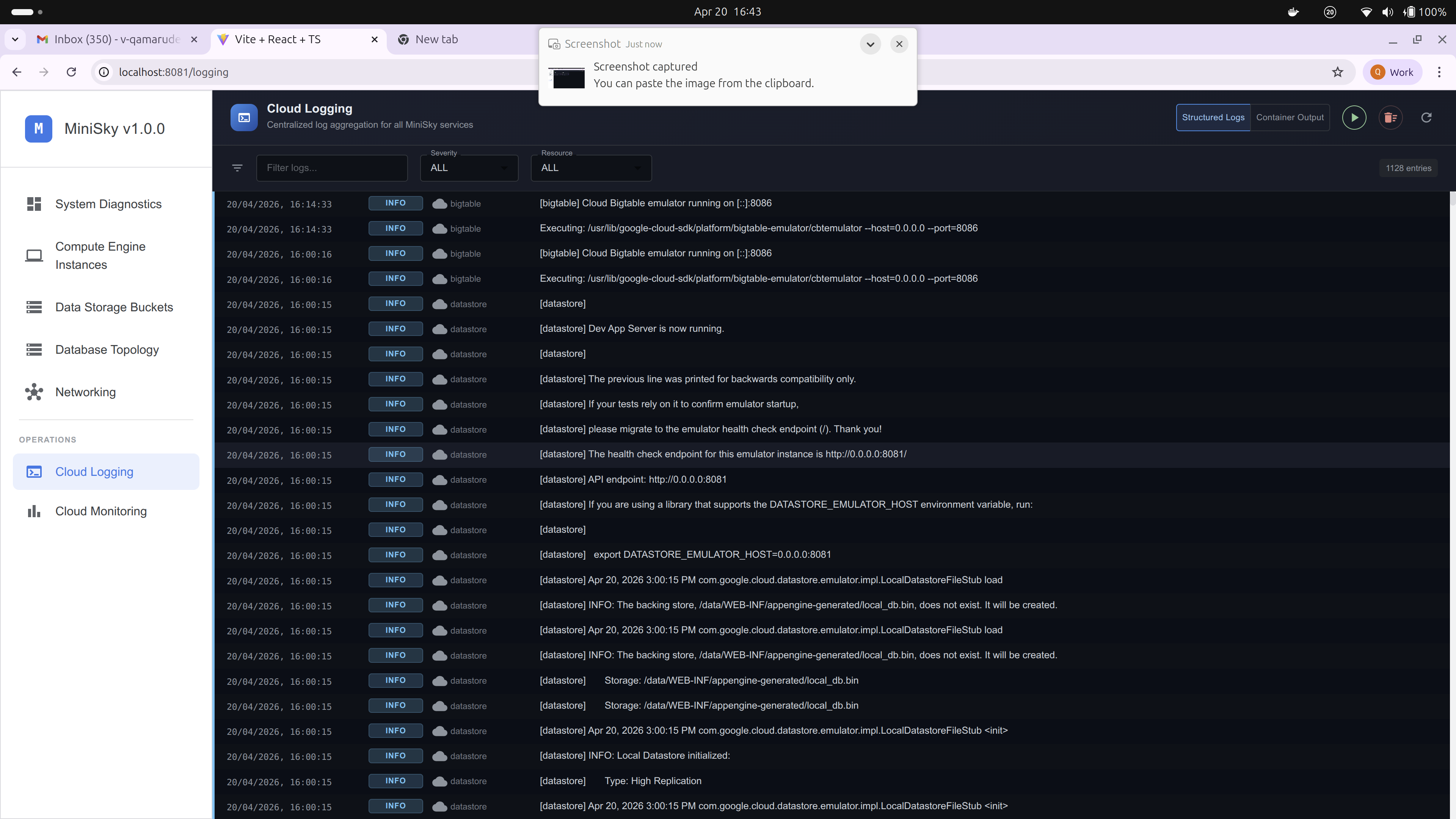
Stop guessing what's in your emulator. View logs, manage buckets, and inspect pub/sub topics directly from the embedded UI.
MiniSky is the first emulator that treats Long-Running Operations (LRO) as first-class citizens. When you run terraform apply, your code natively polls transitions like PROVISIONING → RUNNING exactly like production.
Simply point the custom endpoint in your provider configuration to your local machine.
Want to see it carry real work? The analytics pipeline example provisions a VPC, buckets, BigQuery datasets, Pub/Sub and a VM, installs Airflow and dbt onto that VM, and runs the whole thing end to end — verified by 41 checks.
# Modern provider configuration
provider "google" {
  project     = "minisky-demo-project"
  access_token = "minisky-local-token"

  storage_custom_endpoint = "http://localhost:8080/storage/v1/"
  compute_custom_endpoint = "http://localhost:8080/compute/v1/"
}Manage your local cloud entirely from the terminal. One binary to rule them all.
minisky start
Starts the daemon and API router
minisky stop
Stops the MiniSky daemon
minisky restart
Restarts the daemon
minisky uninstall
Removes all data, containers, and binaries
minisky deploy
Deploy a serverless resource
minisky list
List all active resources
minisky logs
Manage Cloud Logging output
minisky iam explain
Why a principal has a permission
minisky compute
minisky storage
minisky artifact-registry
minisky vertex-ai
minisky cloud-build
Your local infrastructure data is safely stored in ~/.minisky. Updating the binary will automatically preserve all your configurations and running instances.
curl -sSL https://minisky.bmics.com.ng/install.sh | bashscoop update miniskyStop daemon → Replace minisky.exe
Prerequisites: Ensure Docker Desktop is installed and running.
Run the installer script. It will download the latest MiniSky binary and add it to your PATH automatically.
Then start the emulator:
minisky starthttp://localhost:8080http://localhost:8081# Install MiniSky
curl -sSL https://minisky.bmics.com.ng/install.sh | bash
# Start the emulator
minisky start